
Dwell
Time in status, cycle & lead time — computed in-tenant, with median & p85
What it does
Dwell measures how long each Jira issue spends in each workflow status, and reports cycle time and lead time from that history. Every calculation runs inside your Atlassian tenant.
Features
- Per-status time and transition counts on every issue
- Project report over any JQL — average, median, p85 and total
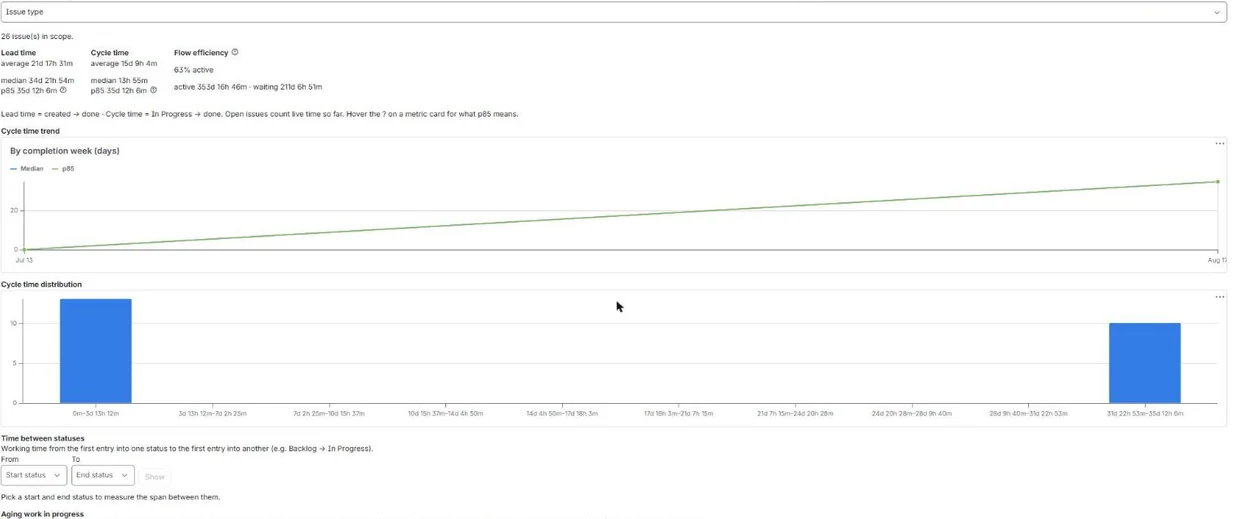
- Cycle-time trend by week, so you can see whether flow is speeding up
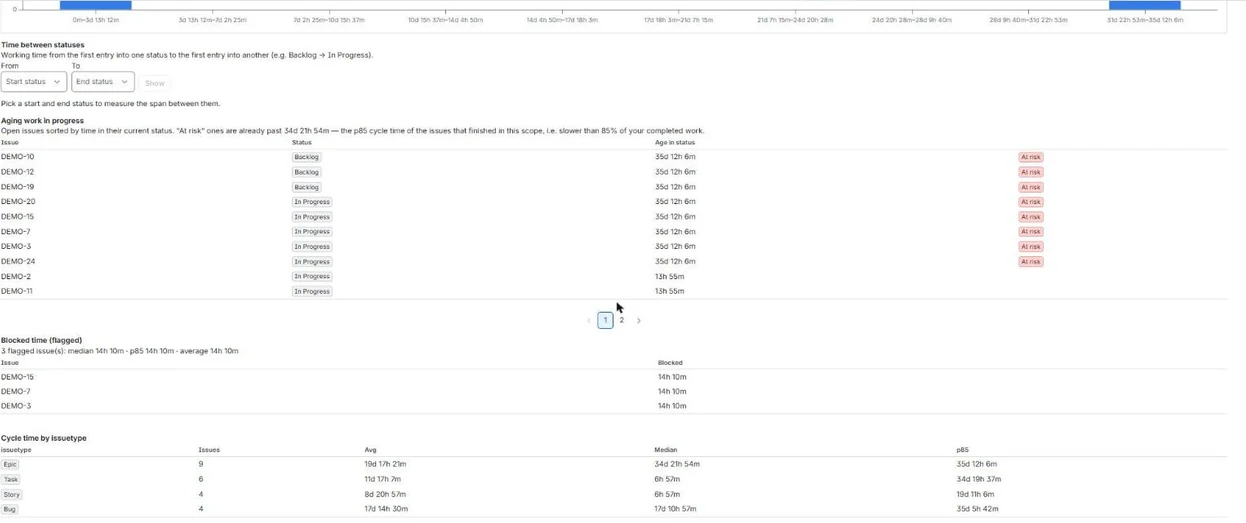
- Aging work in progress — open issues already past your p85, flagged before they stall
- Flow efficiency — the share of time actively worked versus waiting in a queue
- Time between any two statuses, with median, p85 and the distribution
- Blocked time — how long issues sit flagged, and which are stuck longest
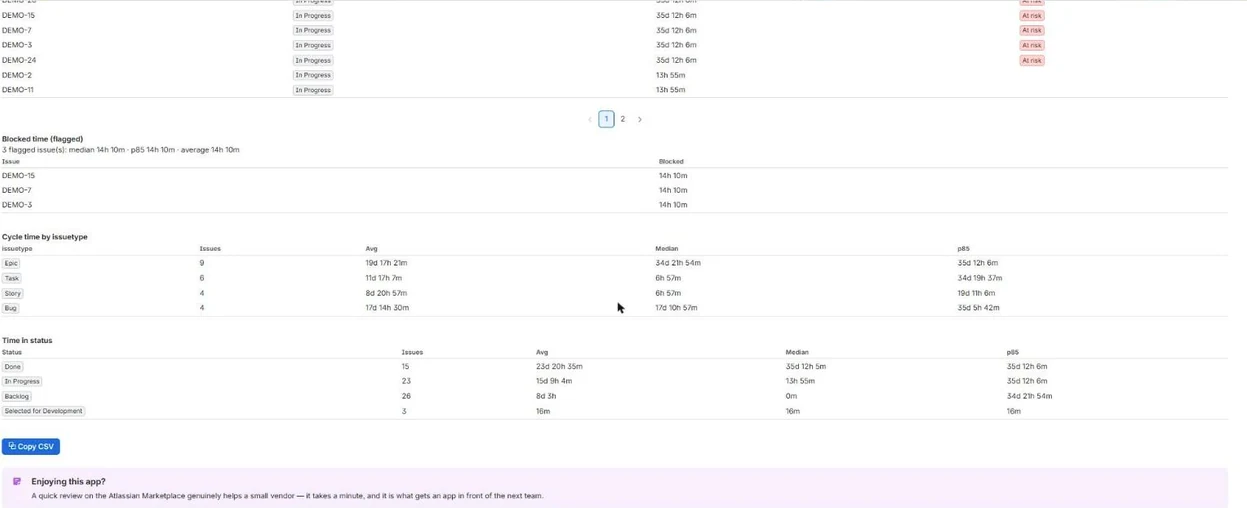
- Group cycle time by assignee, priority, type or status
- Cycle-time histogram, plus a dashboard gadget for any saved JQL
- CSV export, ready for Excel
- Reports resolve as the viewing user, so issue-level security always holds
Where you’ll find it
Dwell installs into Jira. This is where it appears.
Issue panel
Any issue → Apps → Time in Status
Per-status durations and lead time for that issue, computed live. Free on every issue, at any team size.
Project report
Project → Apps → Time in Status
Cycle and lead time across any JQL, with the trend, aging WIP, flow efficiency and CSV export.
Dashboard gadget
Any dashboard → Add gadget → Time in Status
A cycle-time histogram with median and p85 for a saved JQL.
Screenshots
What it does not do
Worth knowing before you install, not after.
- No working-hours calendar. Every duration is wall-clock, so an issue that sits in review over a weekend counts the weekend.
- Not a time-tracking tool. Dwell reads the changelog Jira already keeps — nobody has to log anything for it to work.
Where your data goes
It reads only what these scopes allow:
| Scope | Why it is needed |
|---|---|
read:jira-work | Read your Jira issues and their change history — to compute time in status, cycle time and lead time. |
read:jira-user | Read user display names — to populate the assignee filter with readable names. |
storage:app | Store the computed index and your app settings. |
Pricing
Free for teams of 10 users or fewer.
| Users | Per user / month |
|---|---|
| 0-10 | Free |
| 11-100 | $1.10 |
| 101-250 | $0.80 |
| 251-1000 | $0.28 |
| 1001-2500 | $0.17 |
| 2501-5000 | $0.11 |
15 further tiers continue on the Marketplace listing. Atlassian bills this — the Marketplace is the merchant of record. Nothing is sold on this site.