
Warden
See the page restrictions Confluence won't show you — inventoried, red-flagged, exportable
What it does
Warden lists which Confluence pages are restricted and who can see them, across the whole site, in one place Confluence itself does not provide.
Features
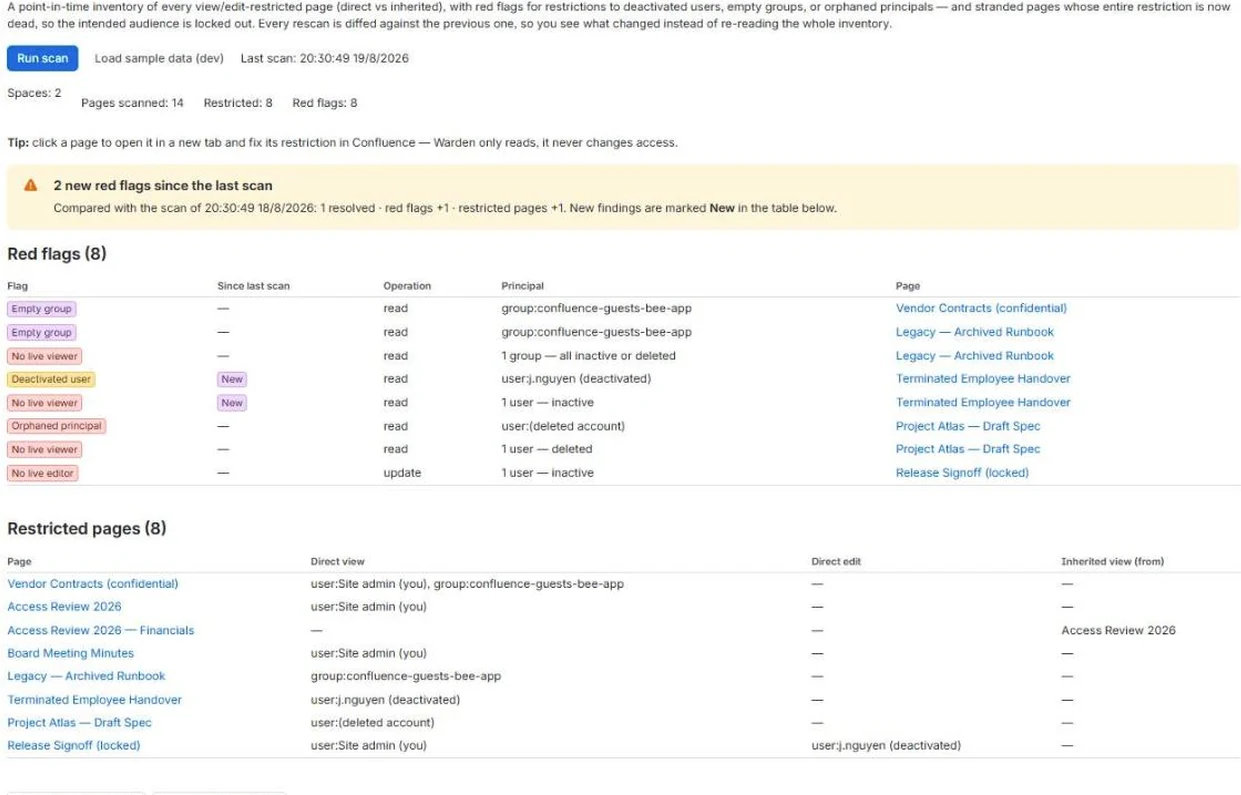
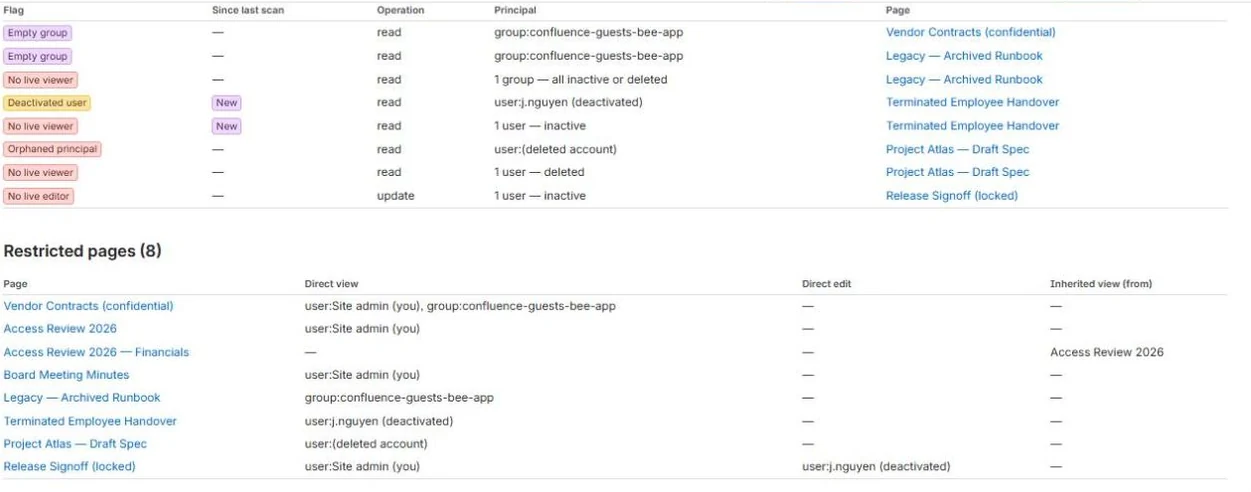
- Cross-space inventory of every view- and edit-restricted page, direct versus inherited
- Red flags: deactivated user, empty group, orphaned principal, stranded page
- Stranded-page detection — the whole intended audience is gone, and inheritance spreads it
- Every scan is diffed against the last, so you read what changed instead of the whole list
- A link straight to the page whose restriction needs attention
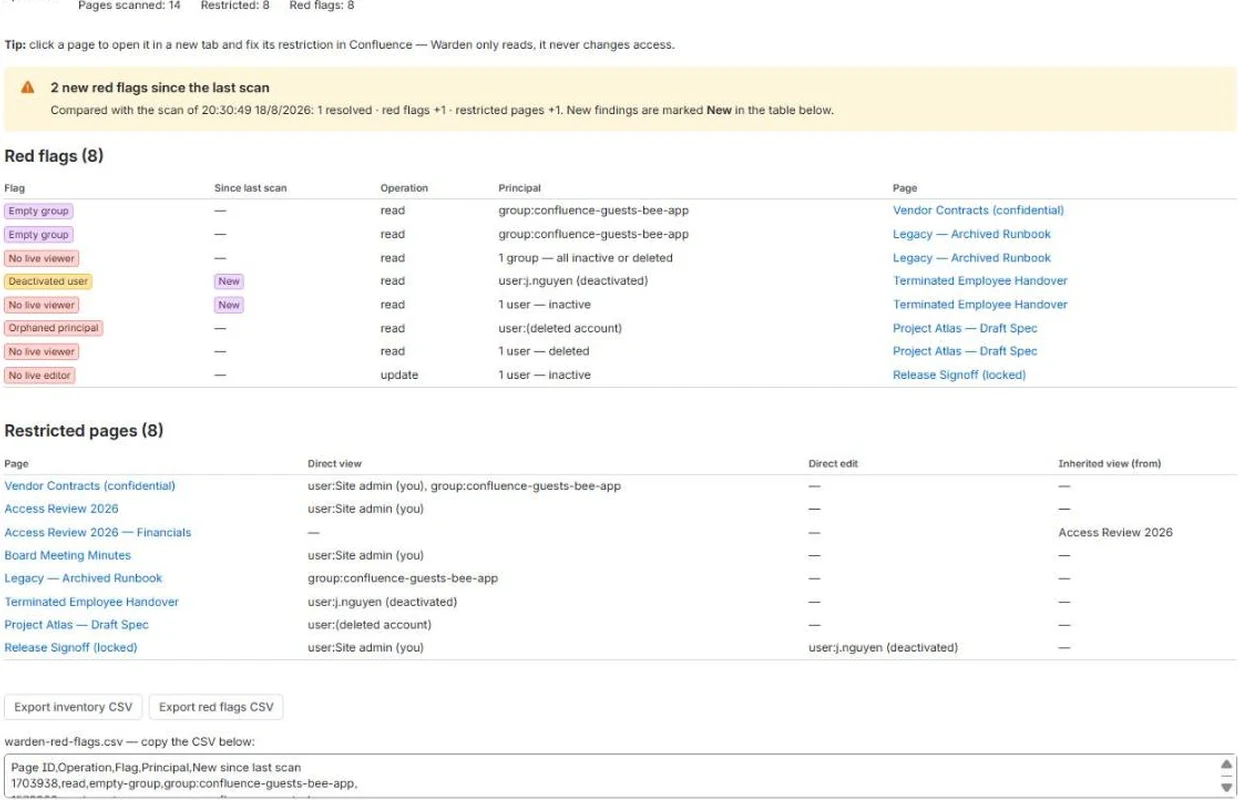
- CSV export — a compliance snapshot for SOC 2 and ISO access reviews
- Daily automatic re-scan keeps the snapshot fresh
- Read-only: Warden never modifies a restriction
Where you’ll find it
Warden installs into Confluence. This is where it appears.
Access Audit report
Confluence Settings → Apps → Warden
One admin screen: red flags first, then every restricted page across the site, direct versus inherited, and what changed since the last scan. Export is at the bottom.
Screenshots
What it does not do
Worth knowing before you install, not after.
- Not an audit trail. Warden compares one scan with the next, so it reports what changed and when it saw it — never who changed it, and never a change made and undone between two scans.
- Not auto-remediation. Warden reports and flags; it does not change restrictions and does not guarantee compliance.
- Page restrictions are a Confluence Standard feature. On a Free site there are none to find, so the report is empty and correct.
Where your data goes
It reads only what these scopes allow:
| Scope | Why it is needed |
|---|---|
read:space:confluence | Enumerate spaces. |
read:page:confluence | Walk the page tree (page id, title, parent). The App does not read page bodies or content. |
read:folder:confluence | A folder's id, title and parent, so a restriction set above a folder is traced to the pages inside it. |
read:content-details:confluence | Read which pages are view/edit-restricted and to which users or groups, plus whether those users are still active. This is the READ scope for restrictions; read:content.restriction is Atlassian's write scope and the App does not request it. |
read:group:confluence | Group membership, to detect empty groups and orphaned group references. |
read:user:confluence | Resolve the accounts named in restrictions and detect deactivated or orphaned users. |
read:jira-work | Only where your site connects Warden to Jira: each project's permission scheme and grants, and its project roles and who sits in them. The App does not read issues. |
read:jira-user | Only where Jira is connected: who holds Browse projects on each project, and whether the accounts in project roles are active. Jira accounts are stored as account ids only, never names. |
storage:app | Store the scan snapshot. |
report:personal-data | Report to Atlassian which accounts the snapshot still caches a display name for, so Atlassian can tell us when one is closed or changed and we can discard our copy. Required by the platform for any app that stores a name alongside an account id. |
Pricing
Free for teams of 10 users or fewer.
| Users | Per user / month |
|---|---|
| 0-10 | Free |
| 11-100 | $1.10 |
| 101-250 | $0.80 |
| 251-1000 | $0.35 |
| 1001-2500 | $0.20 |
| 2501-5000 | $0.13 |
30 further tiers continue on the Marketplace listing. Atlassian bills this — the Marketplace is the merchant of record. Nothing is sold on this site.