
Pact
SLAs on plain Jira Software in 5 minutes — with reliable breach emails
What it does
Pact puts SLA targets on Jira Software issues — the goals a team commits to for response and resolution — and reports which issues met them. It does not require Jira Service Management.
Features
- Works out of the box — a zero-config default SLA on every issue
- Multiple policies per project, each scoped to the issue types and priorities you pick
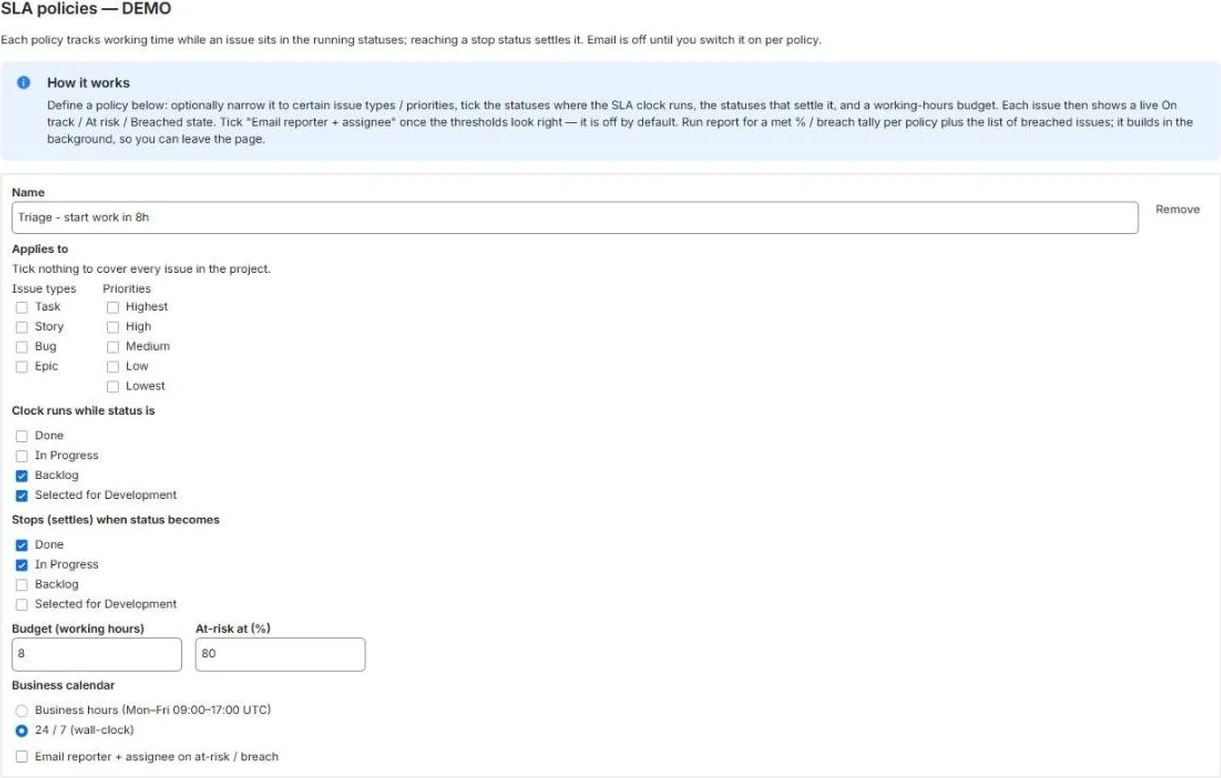
- Start, pause and stop the clock on status, with a working-hours calendar or 24/7
- Live countdown with at-risk and breach state on every issue
- Deduped at-risk and breach emails, with a five-minute backstop sweep
- Policy warnings catch a policy that is silently misconfigured
- Applies retroactively to open issues — there is no backfill to wait for
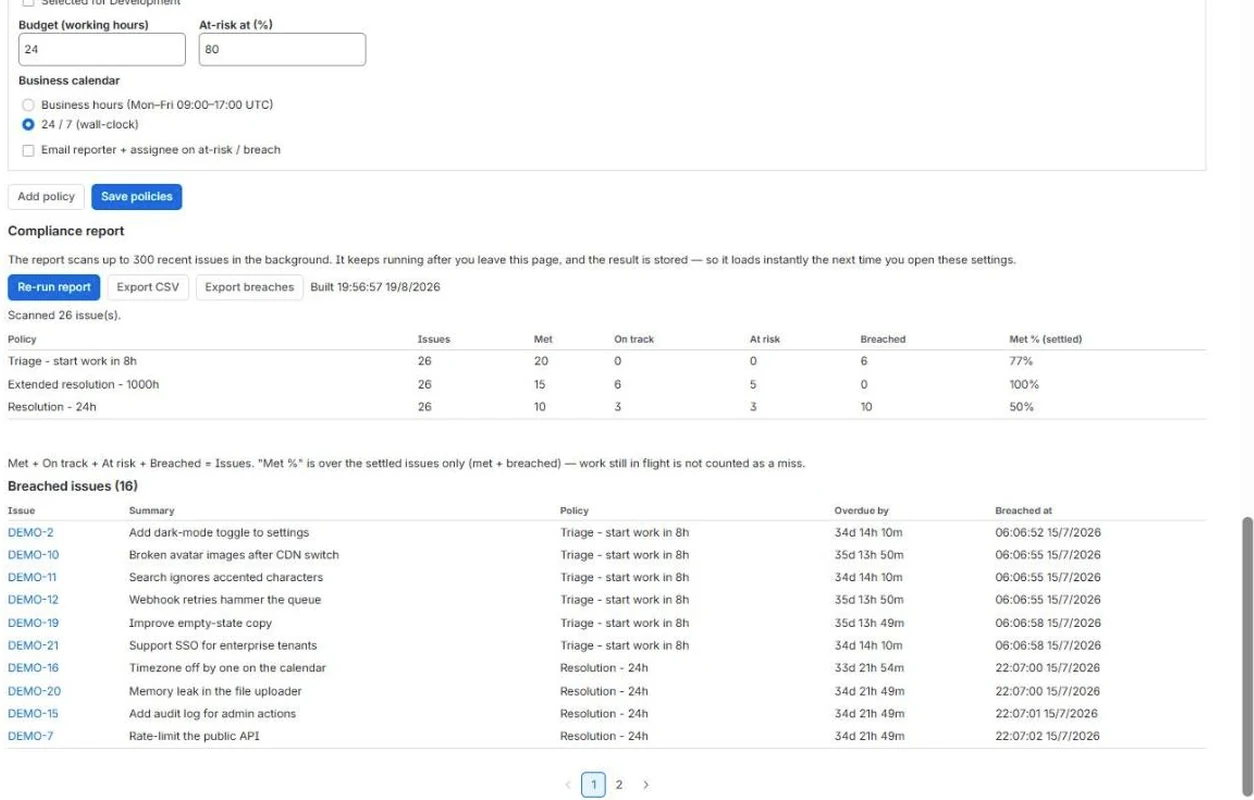
- Met % and a breach report per policy, with CSV export
Where you’ll find it
Pact installs into Jira. This is where it appears.
Issue panel
Any issue → Apps → SLA
Live state per policy — On track, At risk, Breached or Met — with the time remaining.
Policy settings
Project settings → SLA
Scope, clock statuses, budgets, calendars and alerts, with warnings for a policy that cannot work.
Compliance report
Project settings → SLA
Met, on track, at risk and breached per policy, the met %, and the breached issues behind it.
Screenshots
What it does not do
Worth knowing before you install, not after.
- No Slack or webhook alerts. Sending there would take your issue data out of your tenant and forfeit the Runs on Atlassian badge.
- Not Jira Service Management. Pact adds SLAs to Jira Software; it does not add a customer portal, queues or request types.
Where your data goes
It reads only what these scopes allow:
| Scope | Why it is needed |
|---|---|
read:jira-work | Read your Jira issues and their change history — to compute working-time SLA state (elapsed, remaining, at risk, breached) per policy. |
send:notification:jira | Email the reporter and assignee on at-risk and breach events, using Jira's own in-tenant notification queue. These emails are sent by Jira, not by an external mail service. |
storage:app | Store your SLA policies and settings. |
Pricing
Free for teams of 10 users or fewer.
| Users | Per user / month |
|---|---|
| 0-10 | Free |
| 11-100 | $1.20 |
| 101-250 | $0.87 |
| 251-1000 | $0.38 |
| 1001-2500 | $0.22 |
| 2501-5000 | $0.12 |
15 further tiers continue on the Marketplace listing. Atlassian bills this — the Marketplace is the merchant of record. Nothing is sold on this site.